

The Adyghe (Circassian) languages needed a correct keyboard for every digital platform. Because code page 1251 for the Russian language does not contain the characters “Ӏ” and “ӏ” (Cyrillic Letter Palochka and Cyrillic Small Letter Palochka), writers of Adyghe and Kabardian used the Latin capital “I”, the Latin small “l” or the digit “1” in their place. This caused a great deal of confusion for computers and digital systems. For that reason, while preparing my master’s thesis I produced a sample keyboard for Windows and one for macOS. I continue to develop the Windows keyboard as needs arise. Once I have the necessary technical means, I will also prepare and publish keyboard layouts for macOS and Linux, in parallel with the current Windows keyboard. You can obtain the current Windows version from the links below.
Click the button or the link below to download the .zip file:
Download Adyghe & Kabardian keyboard for Windows 7-11
How to install:
For a first-time installation:
- Right-click the downloaded .zip file and choose “Extract All…” from the context menu. Then follow the steps of the wizard.
- After extracting the files, go to the destination folder, double-click “setup.exe” and follow the steps until the installation is complete.
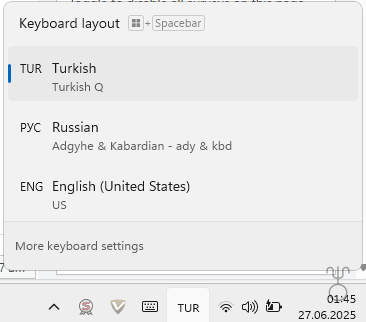
- If you do not see the “Adyghe & Kabardian – ady & kbd” keyboard in the keyboard list at the bottom right of the screen, restart your computer.
To upgrade to a new version:
- Depending on your Windows version, open Installed Apps in Settings.
- Uninstall the application named “Adyghe”.
- In the language and keyboard settings, if the RU-Adyghe layout is still installed under Russian, remove it.
- Right-click the downloaded .zip file and choose “Extract All…” from the context menu. Then follow the steps of the wizard.
- After extracting the files, go to the destination folder, double-click “setup.exe” and follow the steps until the installation is complete.
- If you do not see the “Adyghe & Kabardian – ady & kbd” keyboard in the keyboard list at the bottom right of the screen, restart your computer.
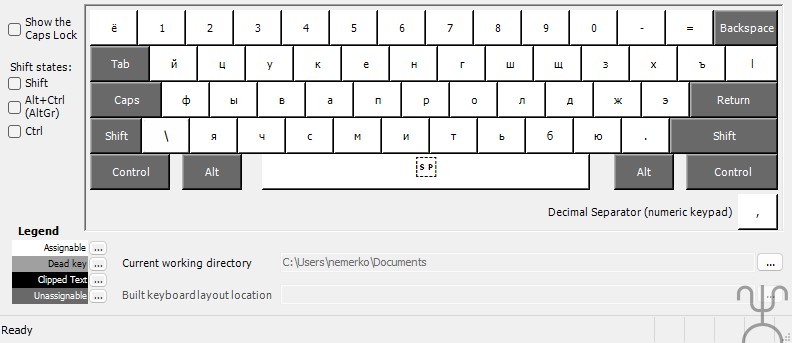
Keyboard layouts:
Base layout:
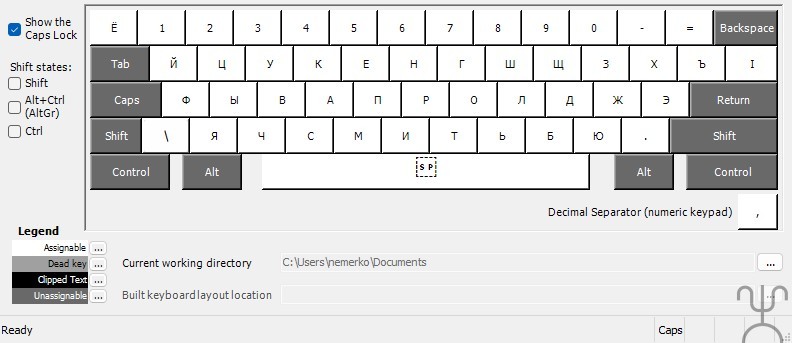
Caps Lock layout:
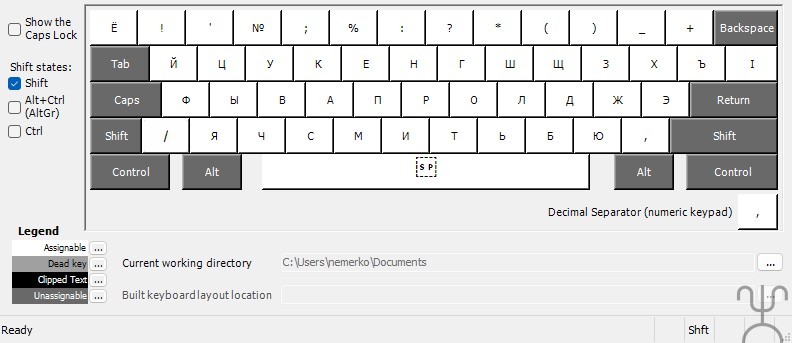
Shift layout:
AltGr layout:
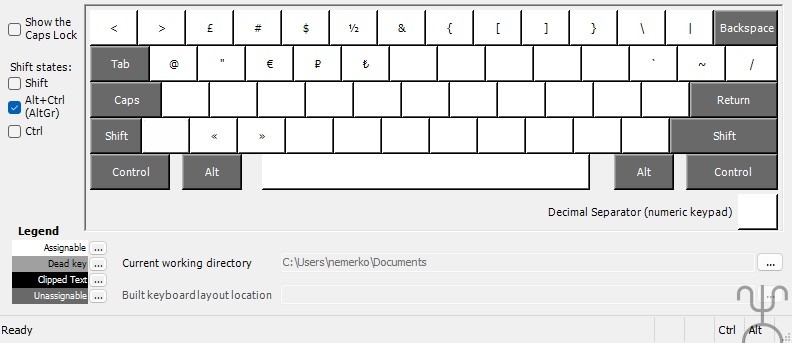
Ctrl layout:
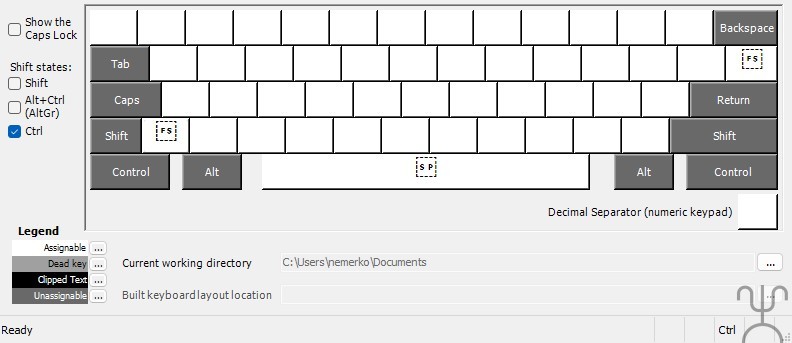
Special notes:
This keyboard layout is based on the UTF-8 standard. If you are using a Windows program that does not support UTF-8, some characters may not appear as described. The Adyghe (Circassian) languages also distinguish between upper and lower case. The character “ӏ” in the alphabet is not merely a complementary mark on certain letters; it is a letter in its own right, standing for its own sound. For this reason, separate upper [“Ӏ” Cyrillic Letter Palochka (U+04C0)] and lower [“ӏ” Cyrillic Small Letter Palochka (U+04CF)] forms have been used for this sound in this layout. Moreover, since even the characters “Ъ, ъ” and “Ь, ь” — which are never used on their own — observe the upper/lower distinction, it would be meaningless for the palochka to exist only as a capital. Following the explanation and information I provided, the Android keyboard GBoard corrected this omission and, as of the end of 2025, its newer versions allow the upper and lower palochka characters to be used properly, in parallel with the Windows keyboard here.
Source code, licence and citation:
The layout’s source file, version history and documentation in three languages are published openly on GitHub: github.com/nemerko/circassian-keyboards
Every release is archived on Zenodo. Persistent identifier for academic citation (DOI): 10.5281/zenodo.22216981
Licence: Creative Commons Attribution 4.0 International (CC BY 4.0) — you may use, adapt and redistribute it, provided you give credit.
The first version of this keyboard was produced as part of the following master’s thesis:
Nemlioğlu, M. U. (2018). Popularizing the use of the Adyghe language in informatics and internet [Master’s thesis]. Council of Higher Education National Thesis Centre, Türkiye, thesis no. 530426. tez.yok.gov.tr